Three releases have shipped since Schema v1.0, and the biggest change is this: SchemaWP now works across every site you run. Version 1.3 introduces the Remote Library, so you can build your design system once on a primary site, connect your other sites to it, and let your agent keep every one of them consistent. Along the way, 1.1 taught the agent to assemble pages from your saved Bricks templates, and 1.2 opened SchemaWP to nine agent clients through a new Connections page. Here is the tour.
Highlights
Remote Library: Your ACSS Kits across all your sites
SchemaWP now runs in three modes: Standalone, Server, or Client. A client site connects to your server website with a single pasted code, then pulls kits from it into its own library. Remote kits stay in their own tab, in the admin, in the Bricks builder, and in Etch, so they never mix with what you built locally. From there, your agent can drive changes across all connected sites in one command.
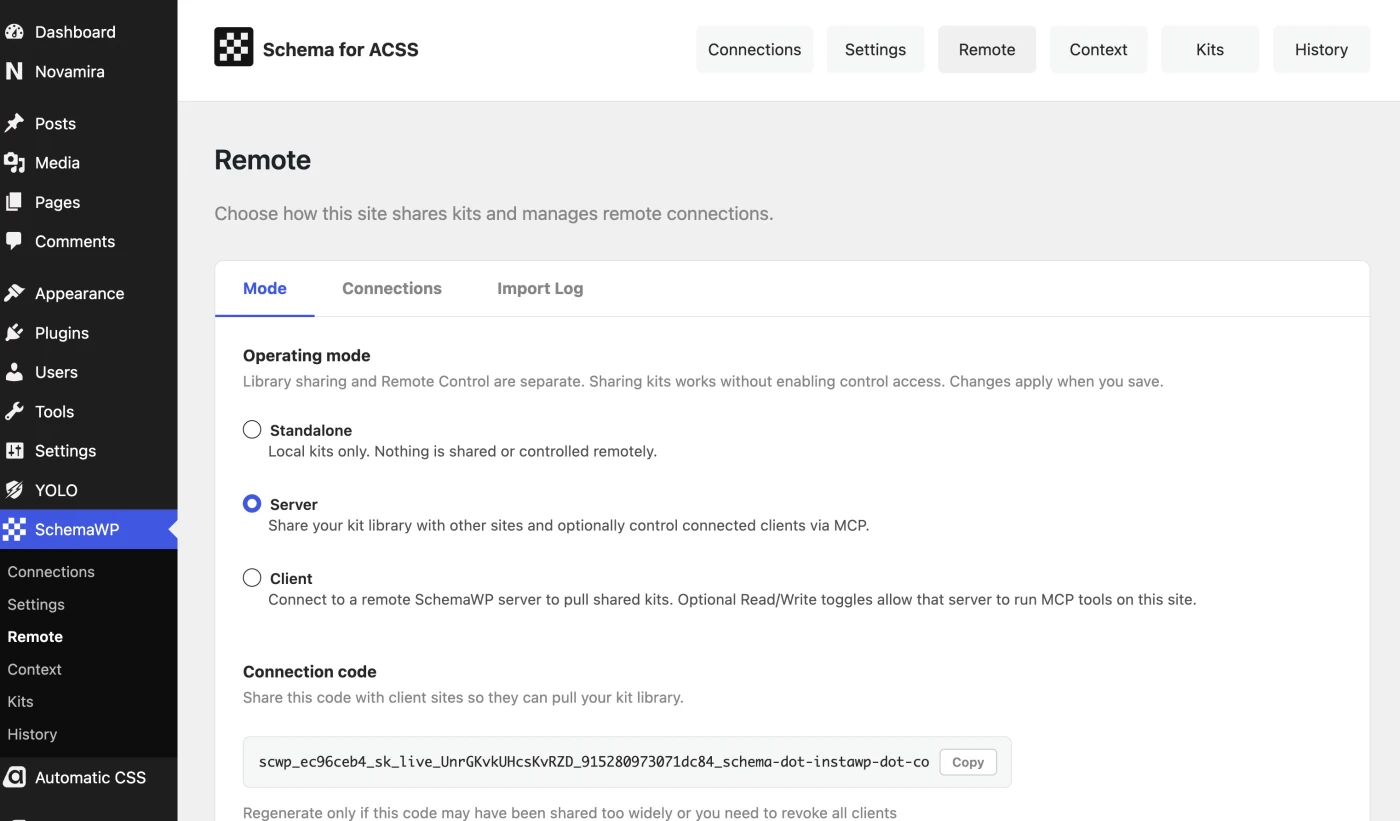
You stay in control. Every connection carries its own Read or Write setting, each tool can be toggled individually, access can be revoked at any moment, and the server keeps a full import log of everything that arrived.
Refactored Connections page
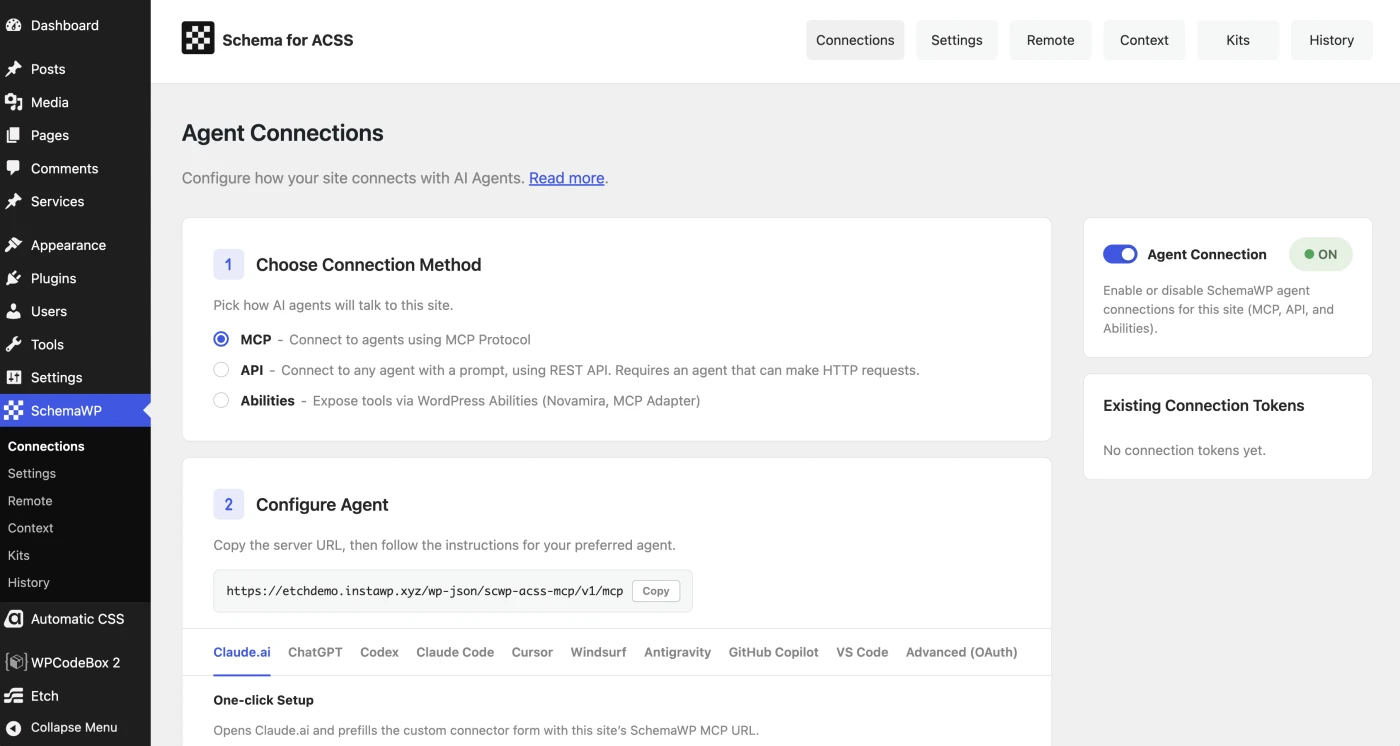
A new Connections page supports three ways in: MCP with OAuth, Agent REST API tokens, and the WordPress Abilities API on 6.9 and above. Setup is ready for nine clients: Cursor, Windsurf, Claude Code, Claude.ai, Codex, GitHub Copilot, VS Code, Antigravity, and Novamira. Cursor and Claude.ai install in a single click, Claude Code and Codex set up from the command line, and a built in Application Password generator produces ready to paste configurations for everything else.
For Bricks: Template context, for better layout composition
The agent can now discover your saved Bricks templates by type, read what is actually inside them, and build a new page from them, or insert them into a page that already exists. It never generates layouts. It assembles the sections you already built, as native Bricks elements you can open and edit. A new Templates tab lets you attach a short context to each template so the agent knows when to reach for it.
For Bricks: ACSS Kits library inside the editor
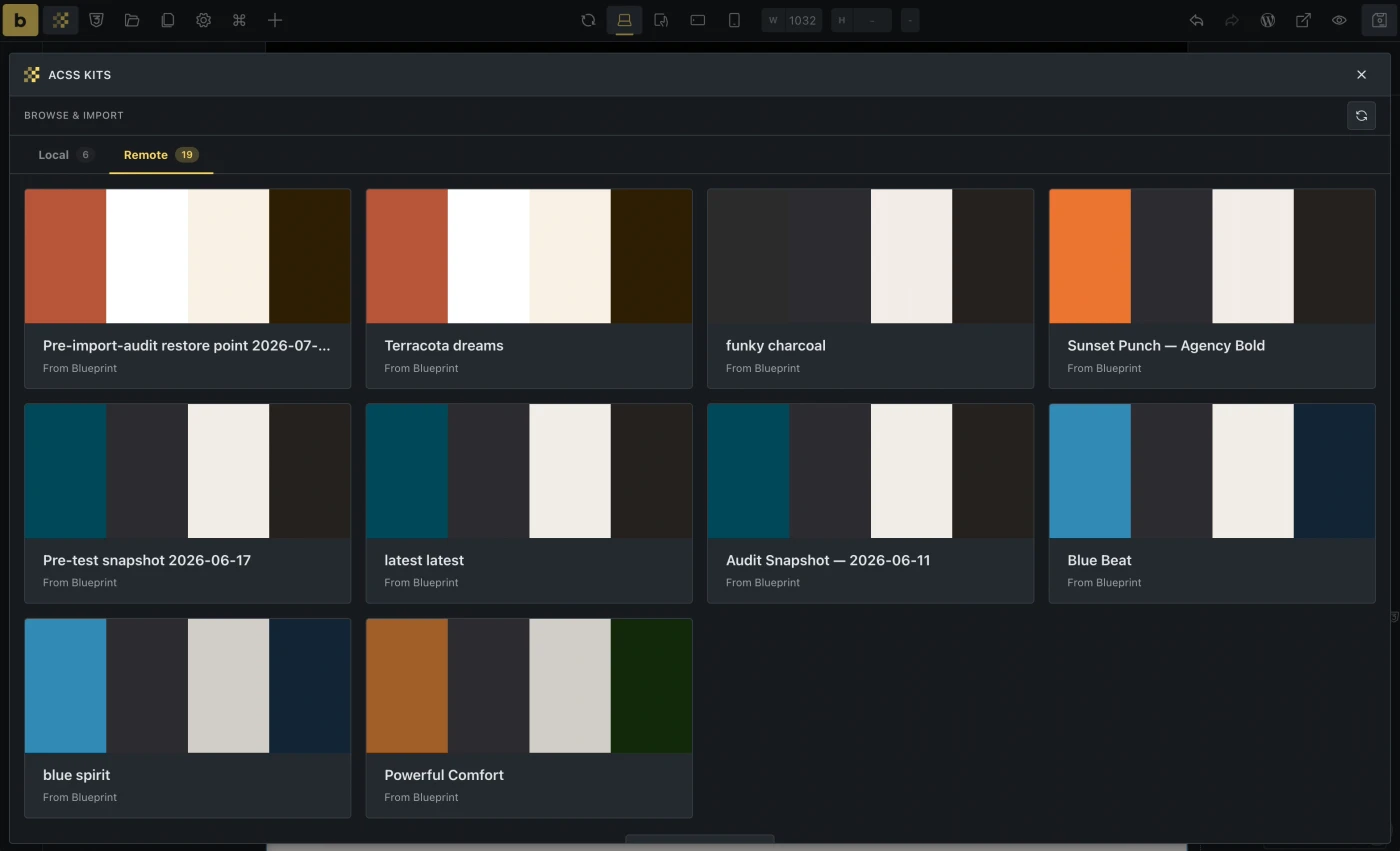
The ACSS Kits library now lives inside the Bricks builder. Browse and apply a kit (local or remote) from the toolbar without leaving the page you are working on.
Export and Import
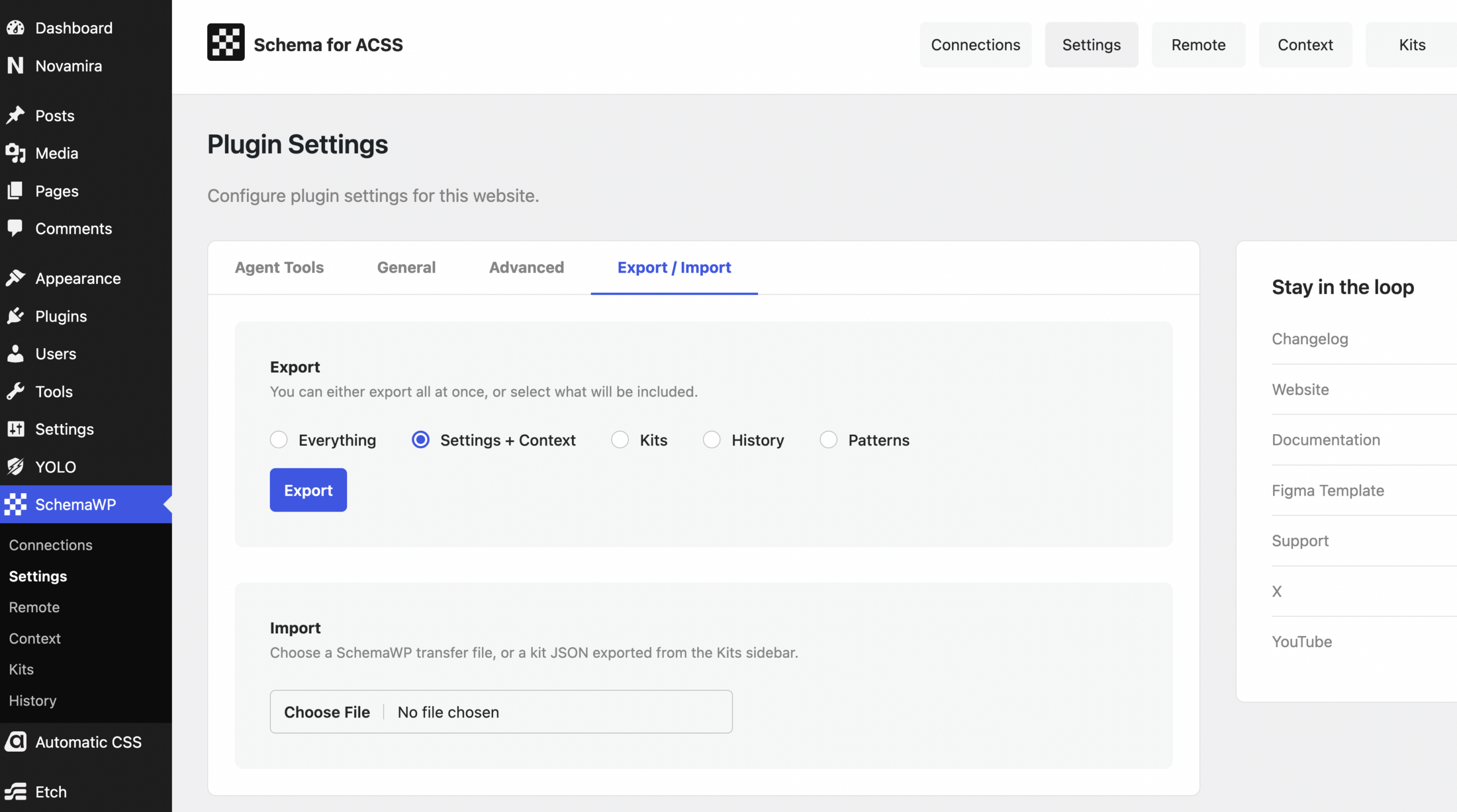
Move kits, settings, patterns, history, and Bricks templates between sites from the Settings screen, with conflict policies and a summary of what came across. Fonts you host yourself travel along too, in exports and in remote kit imports alike.
Two new skills: ACSS Theme Composer and Accessibility Audit
Give the agent a brand or a niche and Theme Composer builds a full ACSS theme in one pass, across color, spacing, roundness, typography and more. Accessibility Audit checks your design system against WCAG 2.2 AA, covering color contrast, typography, forms, focus states, target sizes, and more.
History covers everything
Exports, imports, and remote actions are all recorded. Applies are labelled by who made them, whether that was you or an agent, locally or from a server, and Restore brings any restorable state back in one click.
ACSS Maintenance ops
Doctor, status, feature flags, and CSS regeneration are now available to agents, so routine maintenance no longer needs a trip to the admin.
Works with your AI client
SchemaWP speaks the Model Context Protocol (MCP), the Agent REST API, and the WordPress Abilities API on 6.9 and above, so it works with whichever agent you already use. OAuth discovery is now scoped by path, so SchemaWP coexists cleanly with other MCP plugins on the same site, and native application redirects like the one Cursor uses are supported out of the box. Your instructions, locked settings, and behavior preferences travel with every session.
SchemaWP requires an active Automatic.css install and WordPress 6.7 or newer. Version 6.9 or newer is recommended if you want to use Abilities.
For the complete list of changes across 1.1, 1.2, and 1.3, see the changelog.