In Schema v0.7 you can work with an agent to compose page layouts from your existing saved patterns. Schema adds a context layer on top of your pattern library: Placement rules the agent uses to make decisions about what goes where.
The process is token-light and fast. It requires an existing library of saved, reusable Etch patterns.
How it works
Every pattern in your Etch library can carry a context string which is a plain-text instruction that tells the agent when and how to use it. The agent reads these rules when planning a layout and sequences patterns accordingly. Context lives at two levels: per pattern, and per category.
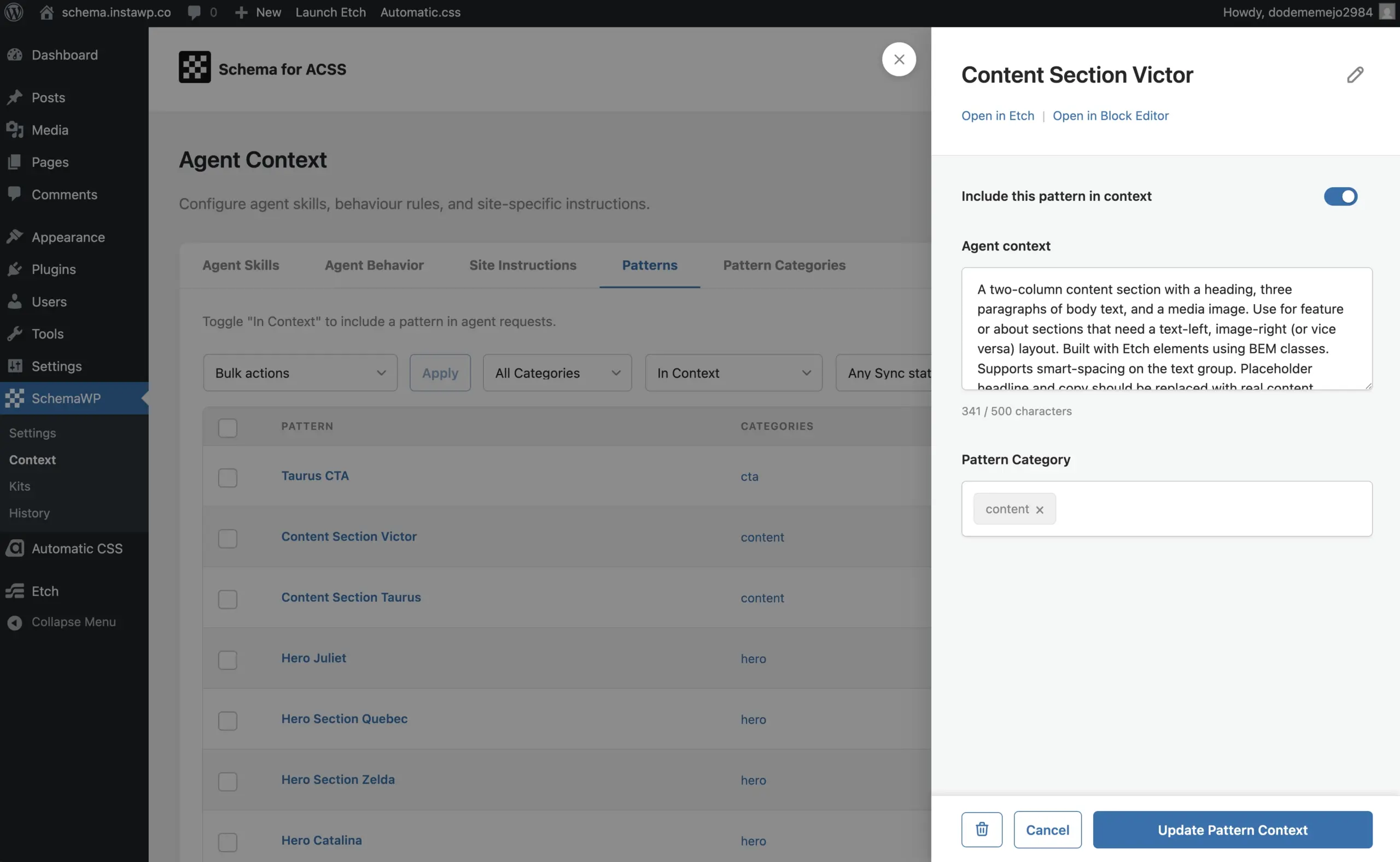
Adding Context to Patterns
Go to WP Admin → Schema → Context → Patterns or Pattern Categories. You’ll see a list of all your existing patterns with their category assignments. To add or edit context, click Edit Context, fill in the sidebar field, and save.
Alternatively, ask the agent to do it for you. Point it at your site’s patterns and it will read each pattern’s block structure and propose context automatically. You review and approve.
Important: Only patterns with the Add to Context toggle enabled are visible to the agent. Patterns with the toggle off are excluded entirely.
Workflow
Ask the agent to fetch your available patterns. It will scan all categories and patterns and report back. For any pattern missing context, it will offer to generate it. Once your library has context, give the agent a page brief:
“Based on the project brief, create a new page named ‘About’ and compose a layout from my existing pattern library.”
The agent proposes a layout. Review and approve. It builds the page.
Limitations
- Pattern content is not editable by the agent. Layouts are composed with original pattern text and assets intact.
- Patterns can only be inserted at the start or end of a page, or as a full layout replacement. Mid-page insertion is not supported.
Need help? Send us a support request.