With Schema v.0.9 we added a Kits browser and a Patterns browser directly inside the EtchWP editor. This post explains what that means in practice, and where it sits in the broader workflow we are building toward.
Workflow stages: Scaffolding and Refinement
Let me quickly share a couple of thoughts on how one could approach a modern workflow based on AI-assisted builds with ACSS, Etch and Schema. From how I see it, there are two stages in this setup.
Scaffolding
Scaffolding happens before you open the editor. You have a project brief, design assets, and intent. You work with an AI agent to generate a starter ACSS theme — color system, typography, spacing — and scaffold page layouts from your existing pattern library. By the time you open Etch, you have a configured foundation. SchemaWP is the tool for this stage. It’s programmatic and macro. The agent reads your design system state, patches tokens, and composes layouts based on project specs.
Refinement
Refinement is what happens inside the editor. You’re working at the atomic level — components, CPTs, loops, fine detail. Etch’s native AI handles this layer. SchemaWP doesn’t replace it, and Etch’s native AI doesn’t do what SchemaWP does. They operate at different levels of the build.
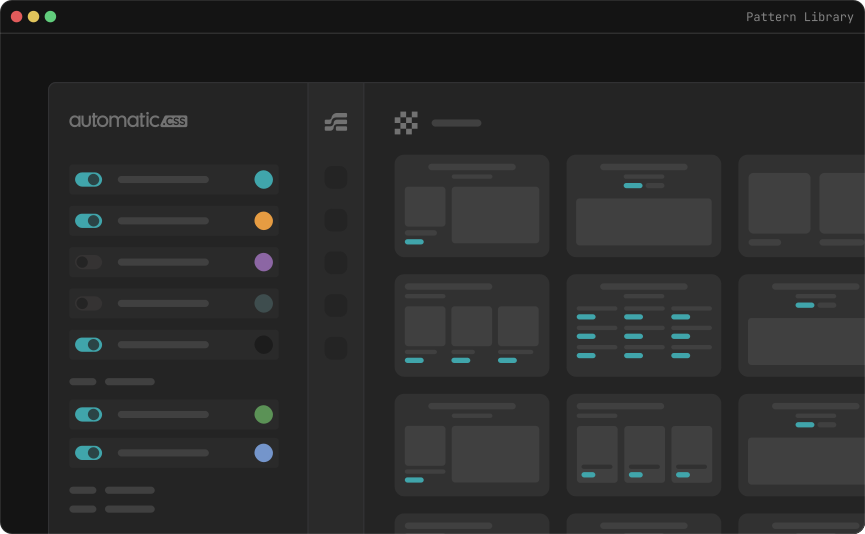
What 0.9 adds
During Refinement, you’re in the editor. You build something good and want to capture it — save a kit snapshot of your current ACSS state, save a new pattern, add agent context to it, organize your library. Until now that meant leaving the editor and going to WP admin. Small friction, but it interrupts flow.
The Kits browser and Patterns browser remove that. You can manage your Schema library without leaving Etch. Browse available kits, create new snapshots, save patterns, assign context and categories — all from within the editor.
The indirect benefit: a well-maintained pattern library, built and organized during Refinement, is what makes Scaffolding more powerful on the next project. The two stages feed each other.
The longer arc
Kevin Geary has announced that Etch is being made platform-agnostic — a unified visual development environment that works across WordPress, static sites, and other CMS platforms. As Etch evolves beyond WordPress, having SchemaWP represented inside the editor matters. We are establishing surface area in the right place before the landscape shifts.
The natural end state would be SchemaWP’s MCP tools accessible from within Etch’s native agent — so the Scaffolding stage could be initiated from inside the editor, without switching to an external AI client. That would require Etch’s native agent to expose a tool integration layer, and that means collaboration with the Etch team. There is no mechanism for that today. It’s a direction we’re interested in, not something on a fixed timeline.
For now, 0.9 is a practical step. The library management that feeds your Scaffolding workflow is now available where your Refinement work happens.