After more than 3 years now working with Automatic.CSS, and having it consume a significant part of my daily design practice, I find myself more inspired than I have been in a long time.
Not because ACSS 4.0 is just around the corner, but because -in just the perfect timing- emergent agentic technologies open a research vector that genuinely draws me in, and aligns with my existing body of work in a self-fulfilling way.
Yesterday we shipped an early release of Schema – an MCP plugin that exposes your ACSS configuration to Claude, ChatGPT, Cursor, and other MCP-compatible agents.
What this actually is
ACSS is, at its core, a structured token system. Scale relationships, color logic, typographic and spacing scales that already honor their own semantic abstractions: card and icon frameworks, contextual color assignments, and more.
What SchemaWP does is to organize these layers of abstractions and make that language legible to AI agents, so they can read, reason about, and modify ACSS design parameters programmatically.
That’s the narrow, humble claim. Not “AI designs your site.” More like: your ACSS design system is now part of the broader project context your agent operates in.
When a user says “give my site more breathing room,” the agent has to translate that into practical action. Which ACSS variables change? What are the relationships between them? Does it increase base spacing, or adjust the scale?
That chain of reasoning – from expressed intent to semantic decision to precise token change – is the context layer Schema operates in, and becomes the infrastructure with which the agent will interact with the ACSS framework.
Where this fits in a real workflow
Working with design tokens in a Claude session is by definition, a magic area – outside the page builder, out of context. But maybe it is just another state of the workflow. Agent-driven configuration and project scoping happens before you open the builder, as part of the pre-build stage where design intent gets established. As soon as you start building in your editor, you are pretty much after the project setup / wireframing / design.
What I personally rely heavily on AI for is contextual organization and maintenance – research, systematization, cross-tool coherence. And ACSS as the backbone of my design system, has a place in that same loop alongside design software, documentation, and the live build environment.
The hypothesis is simple: if your design tokens live in a structured, queryable schema, your agent can help you maintain scalable consistency across that system.
Whether that holds up in complex production workflows, we’ll see. SchemaWP is not the answer, but an attempt to explore how we can formulate the right question.
What about EtchWP’s native AI? Well, it’s just confirmation that the EtchWP team is serving its community by staying aligned with the industry standards. Schema is not competing with that in any dimension. If anything, the two should eventually co-exist and inform each other. Schema currently operating at the design system layer, EtchWP’s agent operating inside the editor composing the layout.
Different function, shared context. Schema nurtures the environment on which EtchWP’s AI will build. And we want to align this relationship even more.
In practice
From Figma to ACSS This is the most direct path: you have a Figma file, the variable architecture is already mapped to ACSS naming conventions, and you need to translate your ACSS setup on the live site. The agent fetches the Figma variables structure and pushes it directly to your ACSS configuration. If the file doesn’t follow ACSS conventions, it infers the mapping. It’s an imperfect process – but a faster starting point, that will only get better over time.
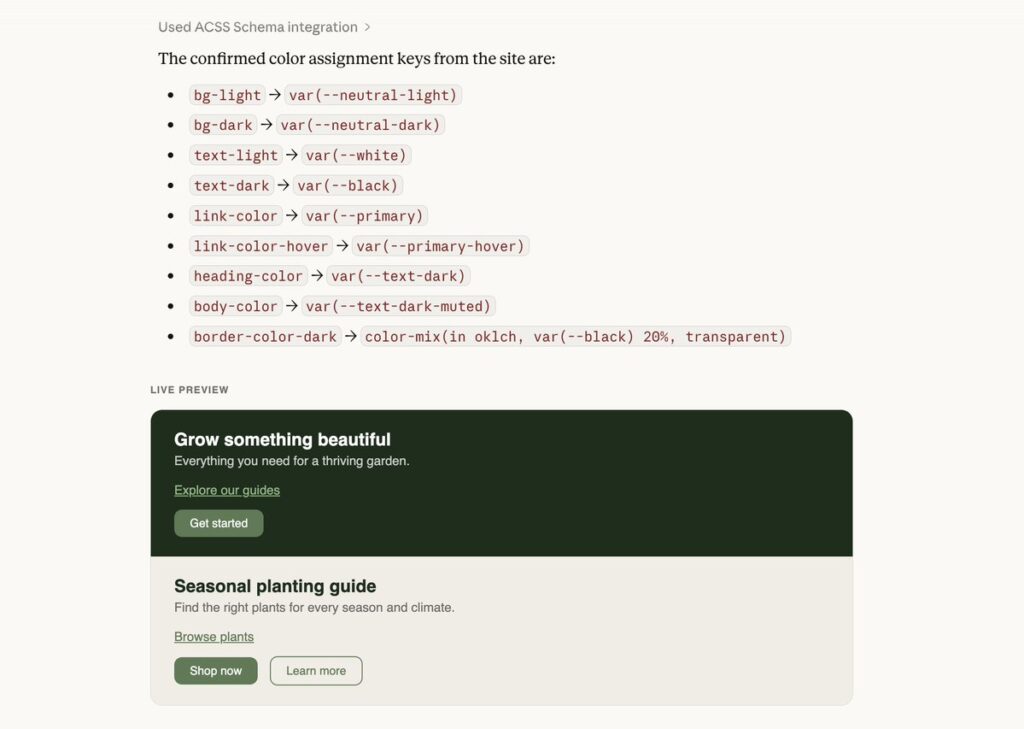
From brief to ACSS design system The path of least resistance. You describe the project, upload a brief, prompt by niche. The agent proposes a direction – typographic scale, color palette, spacing ratios. You look at it, adjust what doesn’t fit, and push. Or you take it back to Figma first, refine it visually, then push. The loop is short enough that iteration doesn’t feel expensive.
Re-usable ACSS Kits ACSS Kits are saved ACSS configurations. At any point you can snapshot the entire ACSS configuration as a named Kit. Restore it, fork it, move to another site. Save a Kit either from inside the ACSS editor panel, or just ask your agent.
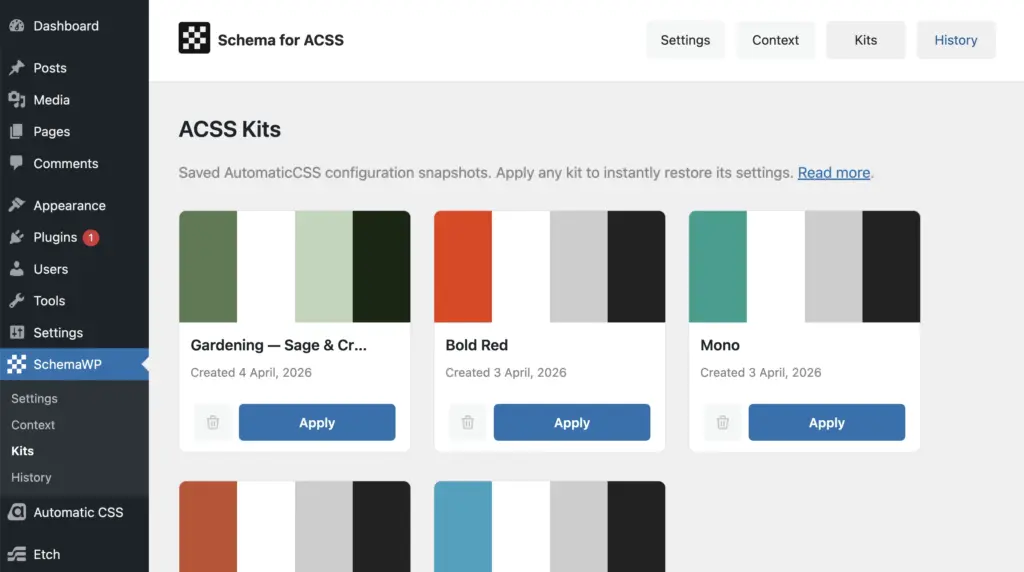
The concept of Kits is not new to us. In 2017, as AnalogWP, Krishna and I tried to explore this with Style Kits for Elementor – design snapshots as self-contained, portable entities with global design control.
A different tool, a different era. SchemaWP is our attempt to return to that question, but finally with tools that genuinely adhere to the science.
State of Schema
v0.25 is stable and in active use. It reads and writes ACSS configuration, saves snapshots as Kits, and infers design directions from project context. More than a proof of concept, but nowhere near a finished answer.
What building it revealed is how vast the potential is. The surface area of agent reasoning – how it interprets intent, navigates ambiguity, maintains consistency across output – is large enough to justify its own dedicated research track. That work doesn’t happen in spare time.
This work needs sustained focus and real-world signal. So we’re building it as a product.
Agent Skills page from Schema plugin Settings
✦Watch an overview of Schema Plugin Settings.
✦ Interacting with Claude and ACSS
We need your feedback to help shape what this becomes: a design context layer for ACSS that agents can decode intent from. That conversation can’t happen behind closed doors.
On the roadmap
The immediate priorities are practical: Improved context handling, better Kit management, pre-made Kits library and sharing across sites, and a more structured Figma to ACSS workflow. Alongside that, deeper customization of agent behaviors and skills – so the tool adapts to the way you work and your own design schema.
Beyond that, the harder problem – how agents infer design intent from sparse or ambiguous input – is where the real research lives. That’s the work that will take time to do properly.
Early-bird pricing at $99 lifetime, with unlimited sites and a 14-day refund window.
The tools are early, but the questions are not. What is the right abstraction? How much context does an agent need to make a good decision? We don’t have complete answers yet. But for the first time, we have the tools to properly explore them.
✦ Follow @schemawp on X and stay in the loop for project updates.